 Earnium Docs
Swap
1️⃣ Visit https://app.earnium.io/swap and connect your wallet.
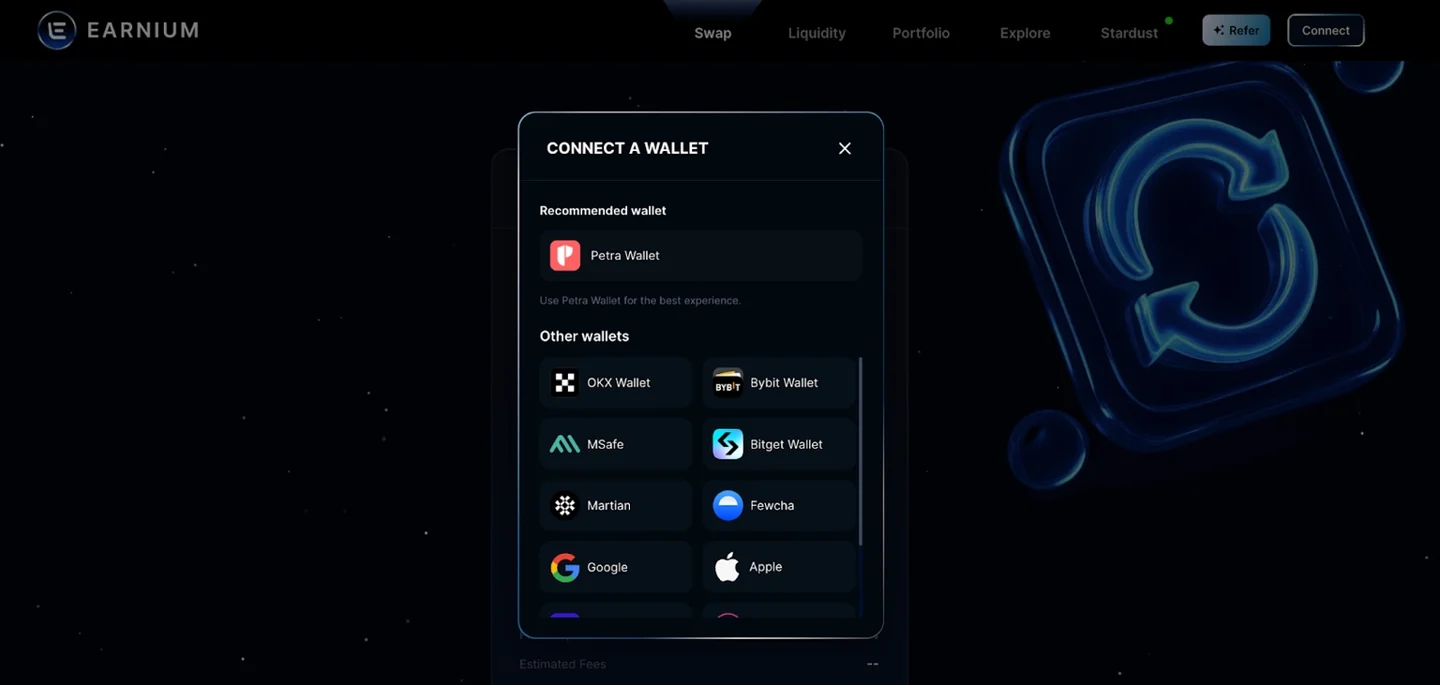
We support many wallets including Petra Wallet, OKX Wallet, Bitget Wallet, and MSafe. For this example, we’ll use Petra Wallet.
2️⃣ Choose your target asset
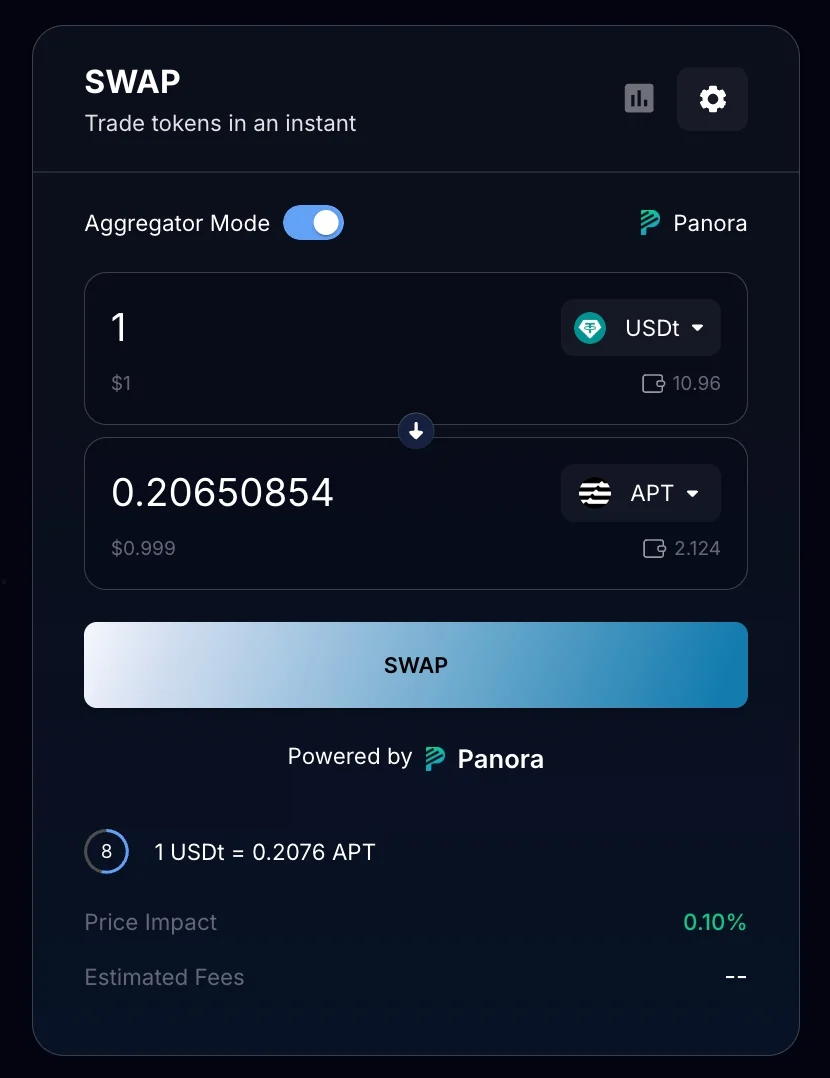
Select the asset you want to receive by choosing it from the drop-down list or entering the address, then enter the amount you wish to swap.
Notes: For your safety and to ensure sufficient liquidity for the trading pair, we highly recommend selecting a whitelisted token from the drop-down list for the best trading experience.
You can enable Aggregator Mode to find the best rate by using our partner’s aggregator route.
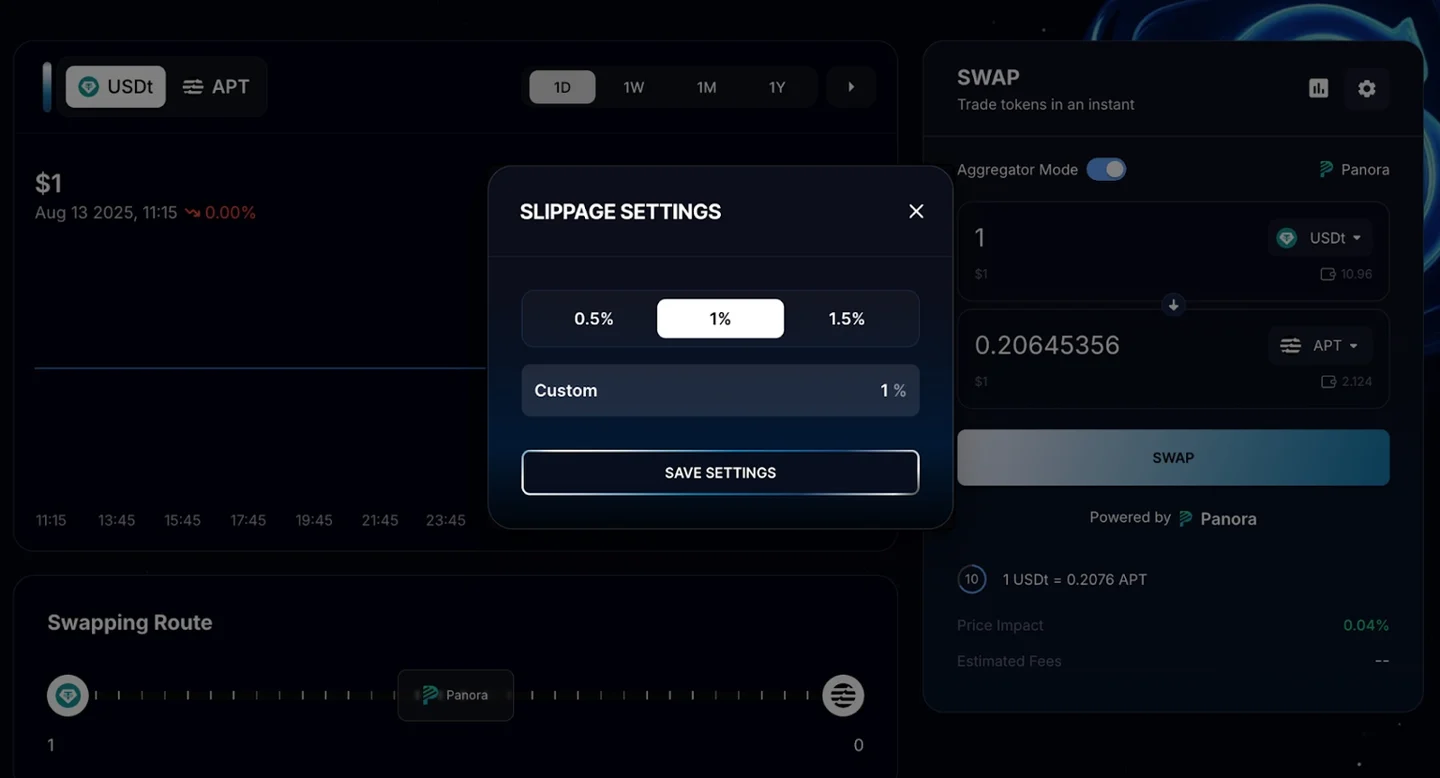
3️⃣ Set your slippage tolerance for the trade. In this example, we’ll use 1% slippage.
4️⃣ Once everything is set, confirm the transaction. You’ll receive your target asset in just a few seconds.