 Earnium Docs
Create Liquidity Pool
Creating a new market on Earnium is completely permissionless. Anyone project owner, token issuer, or community supporter - can create a pool for any trading pair if it doesn’t already exist.
However, we strongly recommend that pool creation be done by project owners or token issuers, as they typically have the knowledge and initial liquidity needed to ensure smooth swaps from the start. Pools with low or unbalanced liquidity may experience high slippage or poor pricing - so build responsibly 💡
If the pool you intend to create already exists and has sufficient liquidity, we recommend not creating a duplicate to avoid confusion for other users.
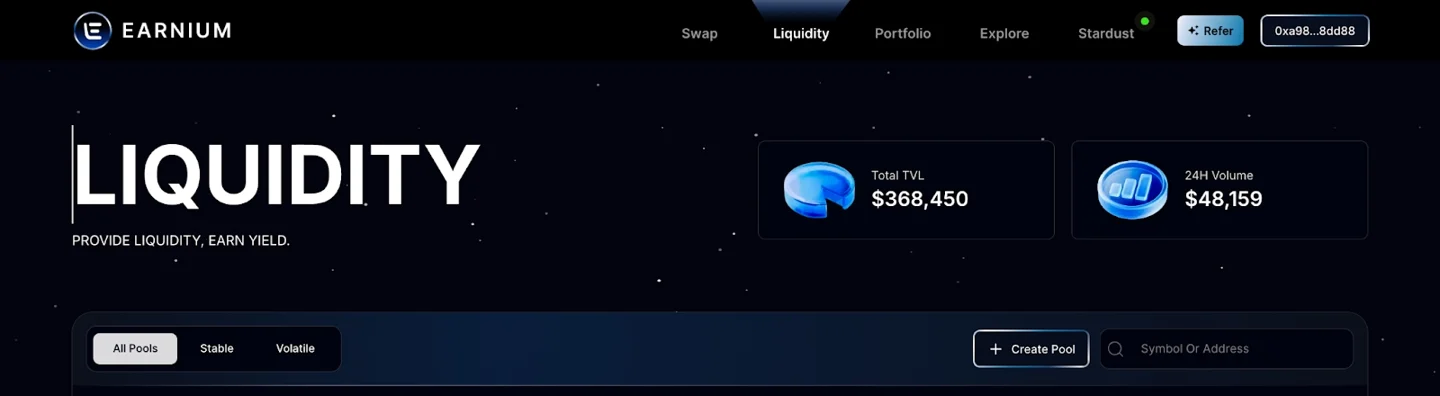
1️⃣ Visit https://app.earnium.io/liquidity and click “Create Pool” in the right corner.
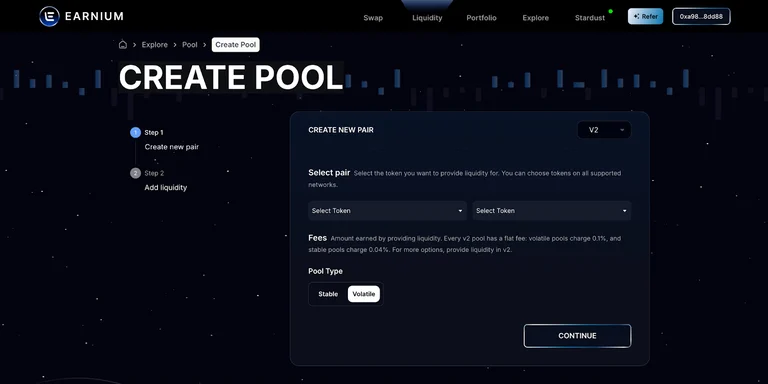
2️⃣ Select your trading pair
Choose the base token from the dropdown list or enter its exact metadata address.
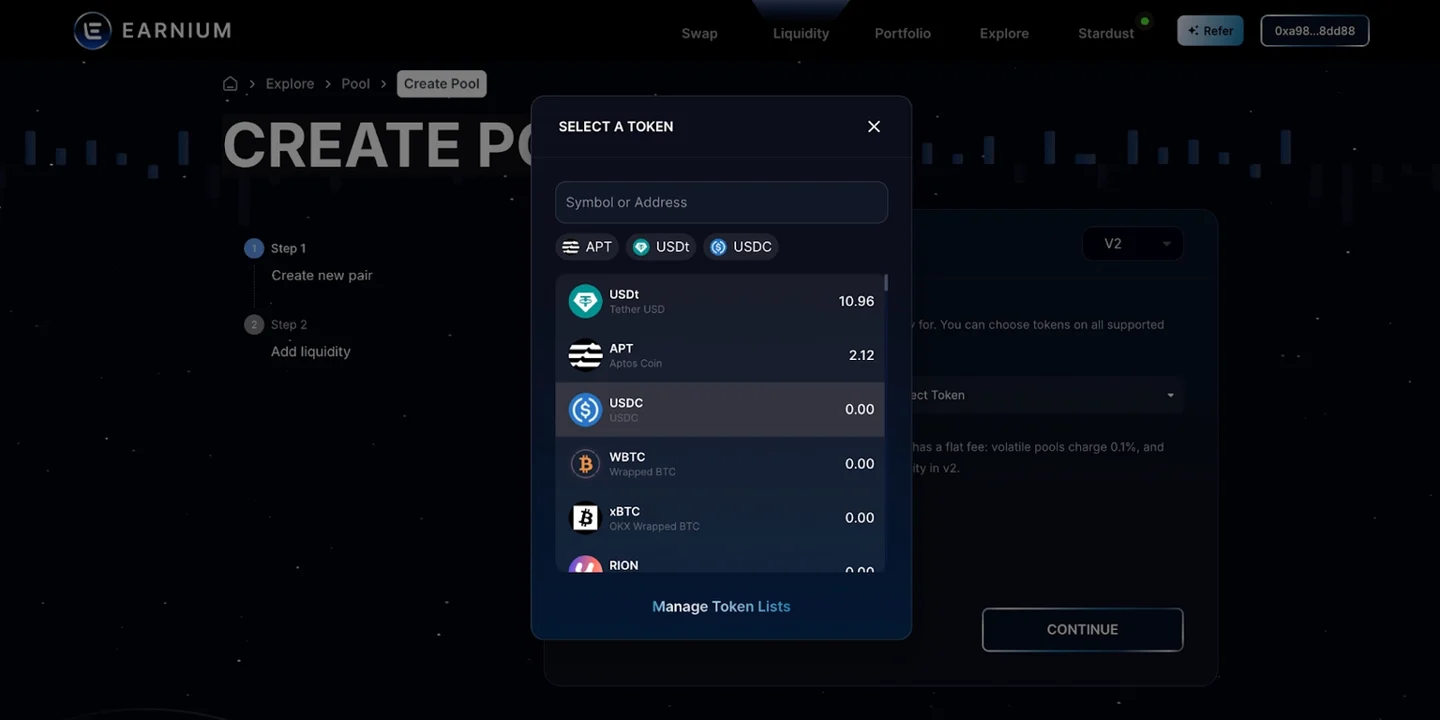
Select the type of fees (the amount earned from trading activities through the liquidity pool).
Every v2 pool has a flat fee: volatile pools charge 0.1%, while stable pools charge 0.04%. You need to select the correct option when setting up the pool.
3️⃣ Add Liquidity:
Enter the amount of assets you want to deposit, then click “Add Liquidity and Stake” to complete the deposit.
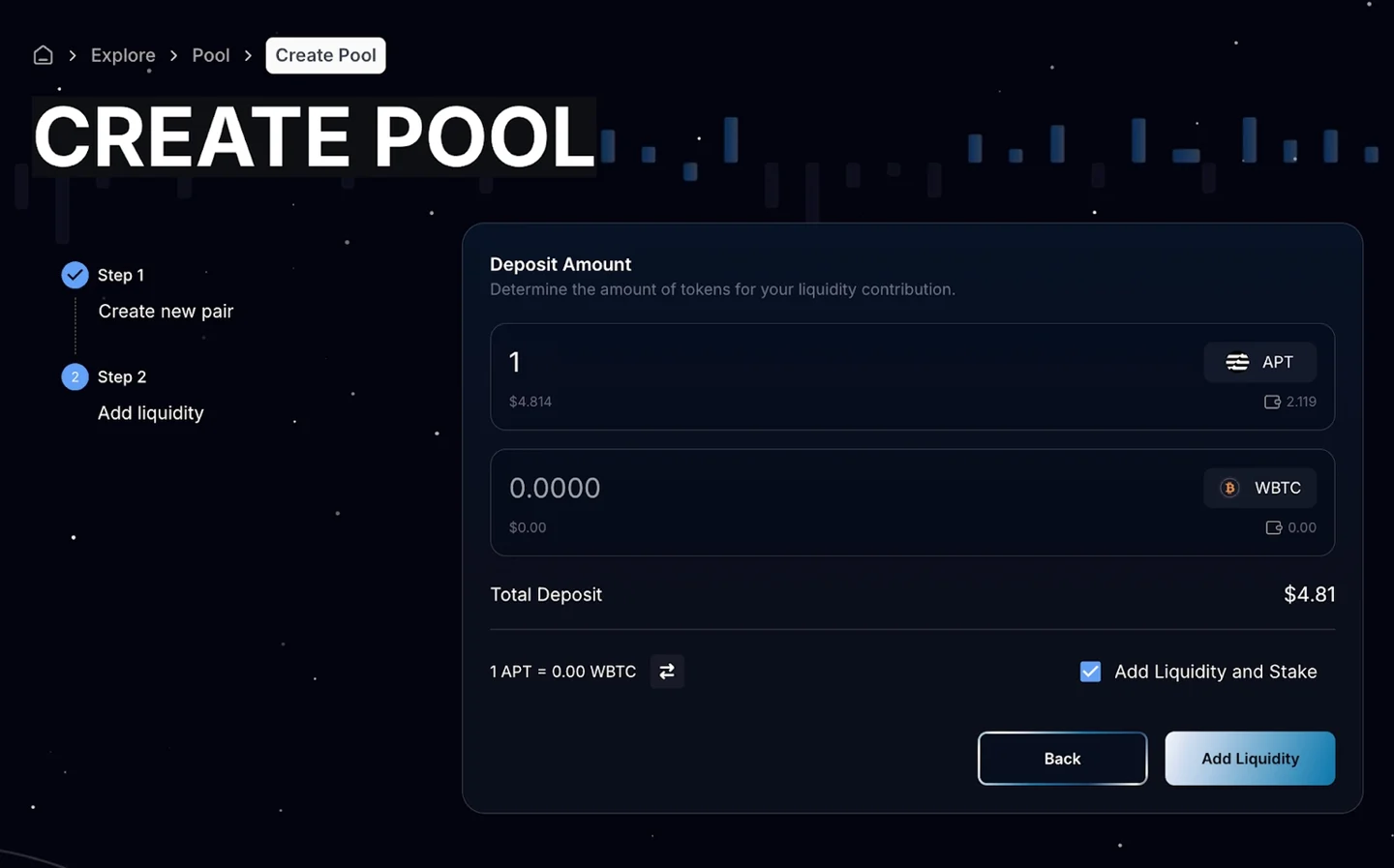
After entering all required parameters, confirm to create the pool and approve the transaction in your wallet to supply the initial liquidity.
Once created, the pool may take a few minutes to appear or become searchable on the Earnium website. When it’s live, users can start swapping and providing liquidity in the new market.